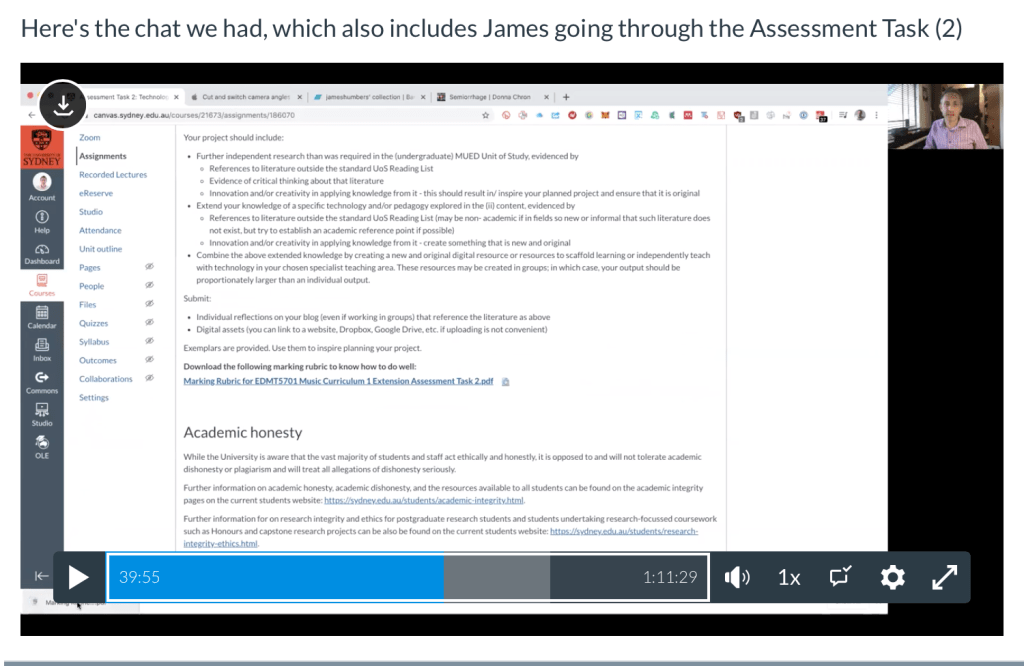
James did a presentation on the relationship between technology and teaching/learning. Guess it’ll take some time for me to find the balance between online learning and limited screen time/ mindfulness etc. I’m all for self-teaching and things but as we all know, kids these days have WAYY shorter attention span. So how should we do it without ruining the human race? (that’s a bit dramatic lol )
Also looked at how to set up our public profiles (aka how not to let anyone from work find your embarrassing 2009 Facebook photos) and how we can protect ourselves and students online. One thing I’d like to look into is the TikTok controversy and its relations with child protection. As a pop musician, my friends and I have noticed a lot of new songs have blown up on TikTok so obviously a lot of record labels and artists will start releasing content catered to that audience. It’d be interesting to see if it’s worth supporting.
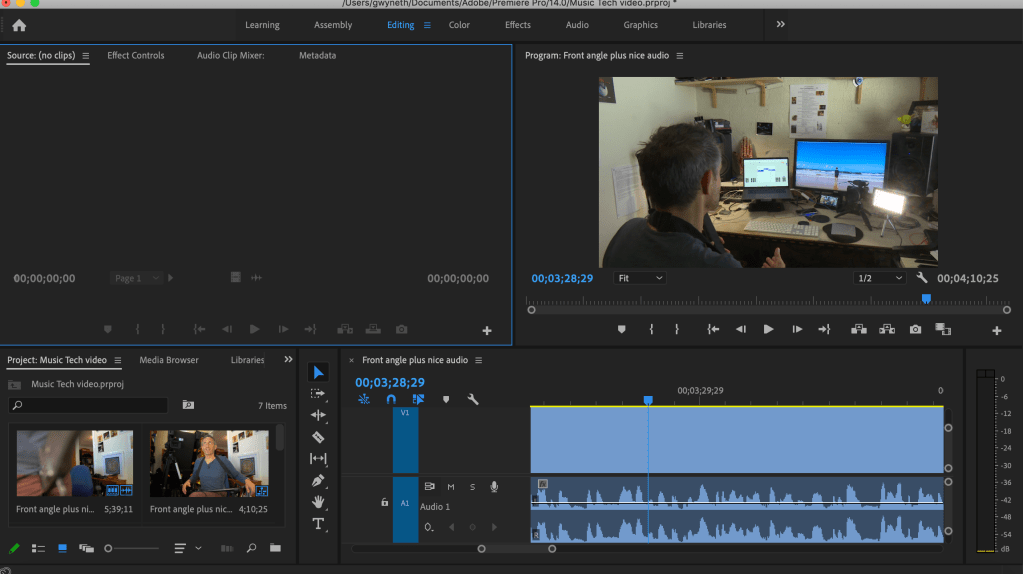
Wednesday-Video Editing with FREE Adobe Premiere Pro!!!!
Today we learnt a few very useful skills. First one is screen capture!! I have a macbook so I could easily record my screen with Quicktime player. It was a function I never knew existed!!
We were given a few videos of James’ guitar midi tutorial (sick midi btw) and we could also choose to film our own. I was feeling a bit lazier than usual so I just used his ones. Premiere Pro is the most professional video editing software I’ve used so far, and it doesn’t lag as much as Filmora, which is a BONUS! I’m really loving the free software!!!
Again, I’m a very visual person. From a viewer’s perspective, I’d definitely prefer a well-edited tutorial rather than something unprofessional. Anyway, this is the video I made (sorry James)
We had a pretty chill class on Monday and shared what we’re been learning so far in our extensions and our views. It was interesting to see what my friends think of their courses (even though most of us are in tech haha). We also talked about our assessment which we have to do a technology-infused project. I’m still deciding what to do, but it’ll most likely be something to do with music production. THANK GOD I still have access to a studio in the city so I’m gonna fully utilise it for this project and my own music.
Wednesday-Multicam filming, live audio recording and syncing
Wednesday was SUPER FUN and it gave me all the throwback as an aspiring YouTube in my late teens lol (I’m not gonna expose my channel here, though)
We learnt how to film from two different angles using two devices (or even one!), clapping for easy audio/video syncing. I had the basic setup in my bedroom-a tripod, a Nikon D5100, a lightbox and my iPad. The video turned out ok, but I would definitely adjust the lightbox for better lighting if I had more time.
This would be a very useful skill for anyone who needs to film educational content for their students, whether it’s YouTube tutorials or just private music lessons.
Aha! The coronavirus has finally hit Australia and we’re all doing online classes. That means I get to live my best lyfe (not). It was a bit of an interesting week but I’m glad it’s working ok!
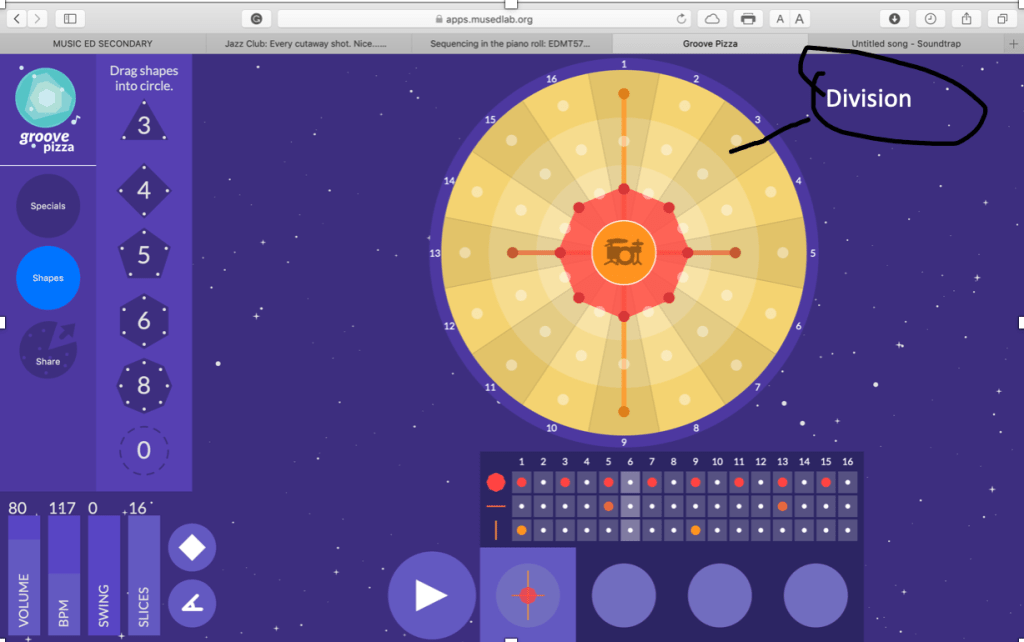
The “pizza slices” are divisions and the numbers around are “bars”. Users can drag the dots to different spots to create shapes (rhythms) There’re several things we can play with in the bottom left corner-volume, BPM, swing and number of slices.
If you click on the drum kit in the centre, a few options will pop up and you could select your preferred drum sounds.
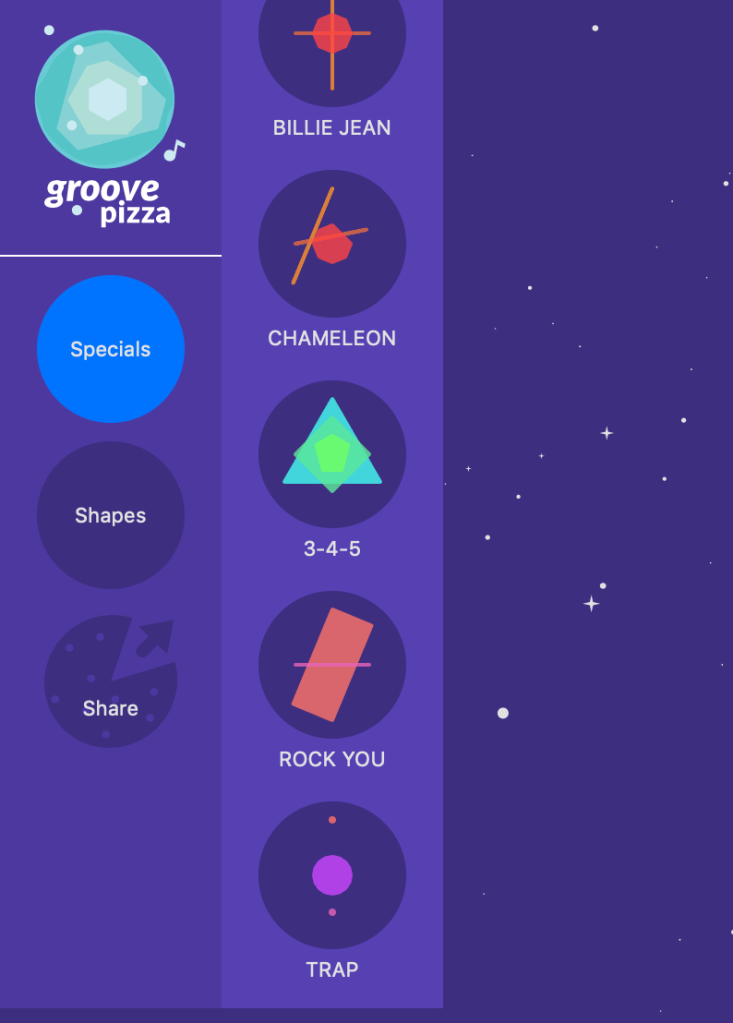
Another interesting thing is the templates provided. I think it’d be easier for students to build up something on top if they’re not from musical background. Here’s a little conclusion of the pros and cons of the app
Pros:
Easy to pick up, not much teaching required
Good metaphor-it is a loop turned into a circle
Con:
Limited number of bars which means it’s only applicable to short exercises
Wednesday–Notation Software
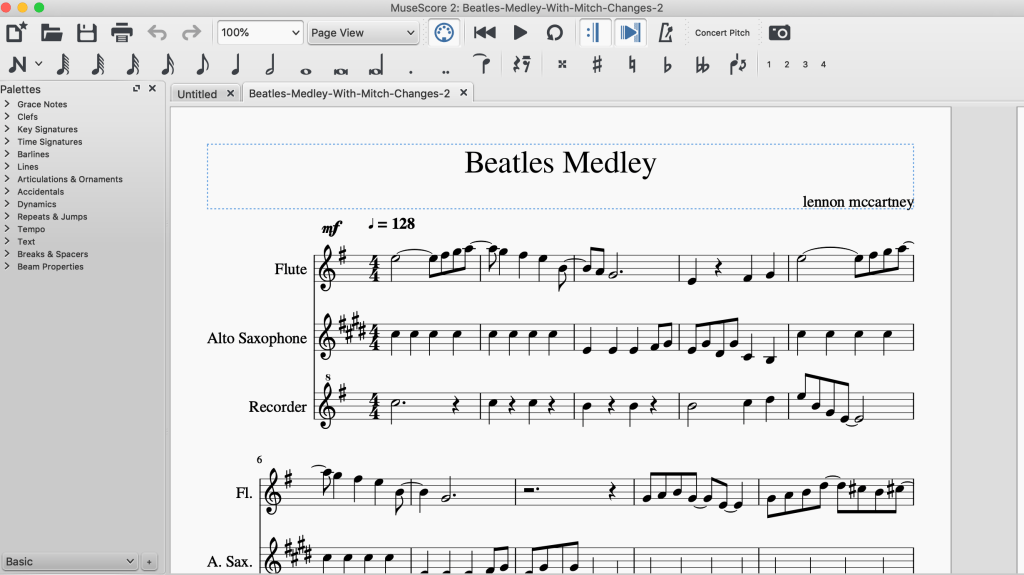
On Wednesday we had a look at a few notation software. The first one was, obviously, MuseScore. I was too stingy to buy Sibelius in second year so I got through all my assignments for this composition unit with it haha.
So here’s the layout. The best feature is the playback, even though it sounds real BAD. I also love the fact that it’s FREE. It’d be perfect for schools that have low budgets.
The other website James introduced was Noteflight https://www.noteflight.com. The superficial side of me thinks it has a superier colour scheme. Overall, the functions are quite similar to Musescore except options such as guitar chord charts (fingering?) and transcription (premium members only) and mixer (again, premium members only)are available. The midi instruments are SO MUCH MORE REALISTIC as well. What’s even more interesting is that you could import a MuseScore file! Definitely would recommend to those who don’t want to take up space on their computers/ on a budget.
One feature that isn’t education-related is they let you sell your own transcription without all the copyright hassel, which is pretty awesome.
This week was absolutely INSANE! All of our school visits have been cancelled because of the virus and we’re worried that uni will shut down… but I wouldn’t mind if it slows down the spread. Anyways, James came down with a cold so we did some online learning ourselves!
Monday
Ableton Link & Auxy
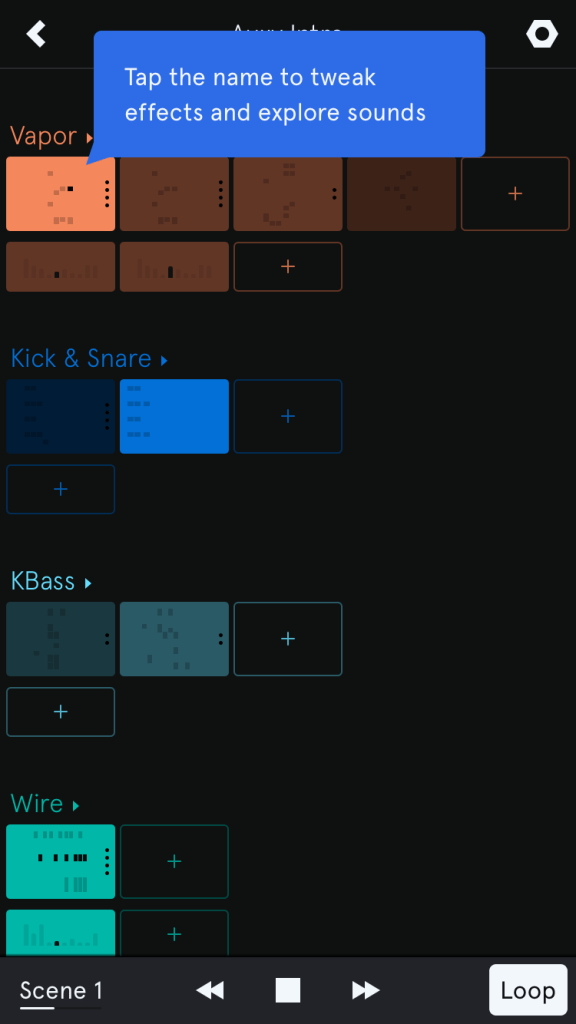
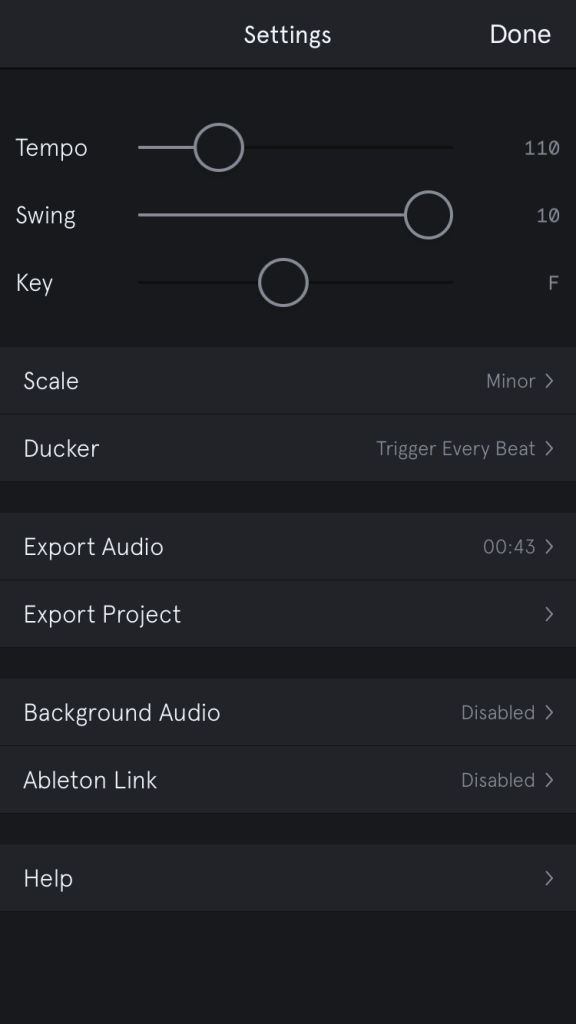
I downloaded an app called Auxy on both my iPhone and iPad. It’s quite similar to DM1 Drum Machine since you get to create your own beats and things, except it has the multitrack layout of production software like Logic and Ableton. It also provides different loops and samples which is quite good for a free app. The most distinct feature is that you could connect two devices through Ableton Link and jam with friends!
Tracks
Settings (similar to Soundtrap)
It’s suitable for a school that provides electronic devices and I think I’d make students work in groups and create their own tracks (as homework or assessment) It’d be an interesting way to teach them the concept of tempo, scales, layering, electronic beats etc.
Wednesday
James started off by introducing the zoom microphone which is great for live recording. I was first introduced to it back in 2017 in my Introduction to Digital Music class. A lot of YouTubers also use it for videos and acoustic covers. I personally really like the quality and how user-friendly it is!
Critical Thinking in Music Education
Why?
Some people don’t like change and as music teachers in training, we have to reflect on our own practice!
Meditation
In the very first music tech class, we spent some time meditating and talked about how modern technology has possibly shortened the attention span of humans. People gets distracted so easily these days and I can even see it in myself and people around me. Before the smartphone era, it would be quite easy to finish an assignment because a) my TV was in the living room and the parents would be there b) video games were banned in the house. Having a smartphone is like having access to limited resources and entertainment AT ALL TIMES! I deleted the facebook and instagram apps at the start of the year because one day my boyfriend pointed out that I went on a cycle every morning between instagram, facebook, email inbox and REPEAT! It’d go on for at least an hour but I didn’t actually get anything out of it. Therefore, I decided to break.the.cycle to improve productivity and only post when I need to promote my music.
Pros and Cons of Technology
Kids get introduced to technology pretty early on these days (my cousin knew how to operate an ipad at 1!!!) I’m pretty neutral about it because I do see the benefits and that we have to 👏🏼modernise 👏🏼music 👏🏼education👏🏼. Throughout my undergrad I saw so many of my extremely musically talented peers playing gigs and composing original music. However, most of them didn’t get around to learn how to produce and what’s actually happening in the industry. I’m all about putting yourself out there but we’re not living in the 80s anymore. As aspiring musicians we should build an online fanbase by capturing the audience attention with high quality music. It really makes me wonder if it has anything to do with the music curriculum.
I cannot describe how useful technology for songwriting. It is so important to record what you’ve written and be able to review it. For students who grew up listening to pop music, bringing in ipads, drum pads and a bunch of modern instruments would be way more interesting than making them sit down and listen to Mozart for an hour. It all about ENGAGEMENT and active learning. I grew up singing Jerusalum in music classes and I’d be happy to see some changes that increase motivation.
My only concerns are whether technology would steer students away from all the foundation and technique you get from traditional music, such as music literacy; and distraction. But then the majority of high school kids don’t come from a musical background then I’d rather try to engage everybody in fun activities than force them to learn in a traditional and boring way… The distraction bit, though… according to the TedTalk on Television and children’s attention span. The new generation is constanly in contact with the screen and it’d would definitely be a challenge that teachers have to overcome, and something I have to look back on.
Cognitive Things
Basically the video is about how we should keep PowerPoint slides simple. Wordy slides are relatively uninteresting and it’s harder to get people’s attention.Pictures and graphs with verbal explanations would help. Another cool concept is F shape laser eye tracking. Studies show that we tend to focus on the top part and left side of websites so it explains why pages like Facebook put important tabs on the left.
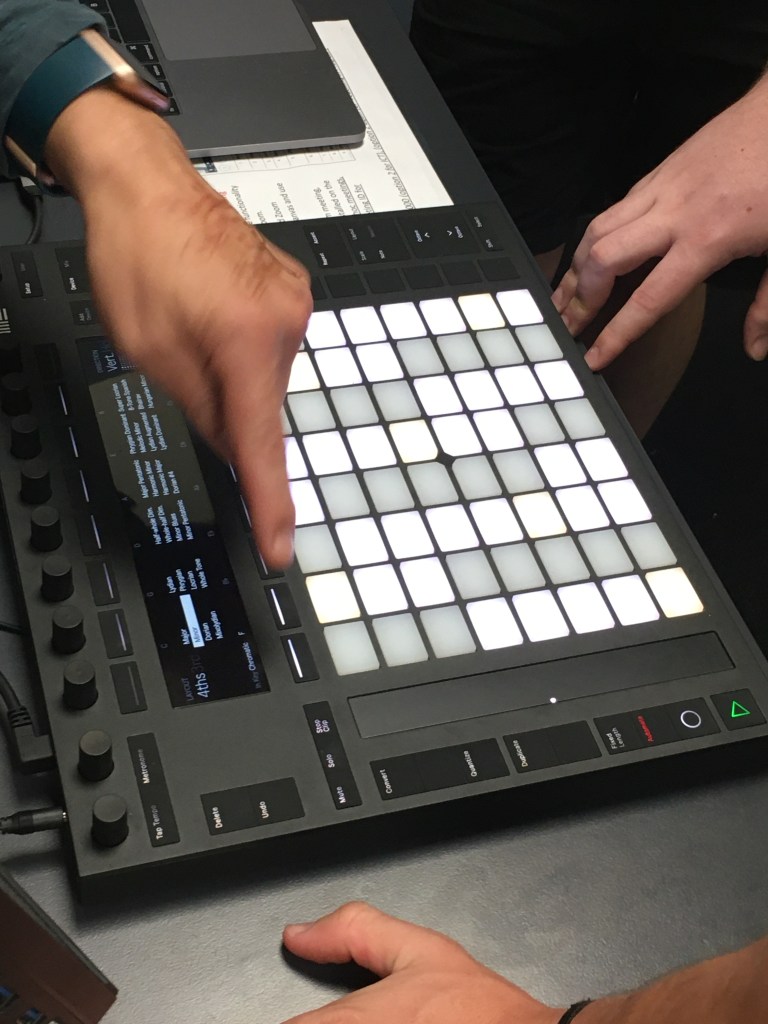
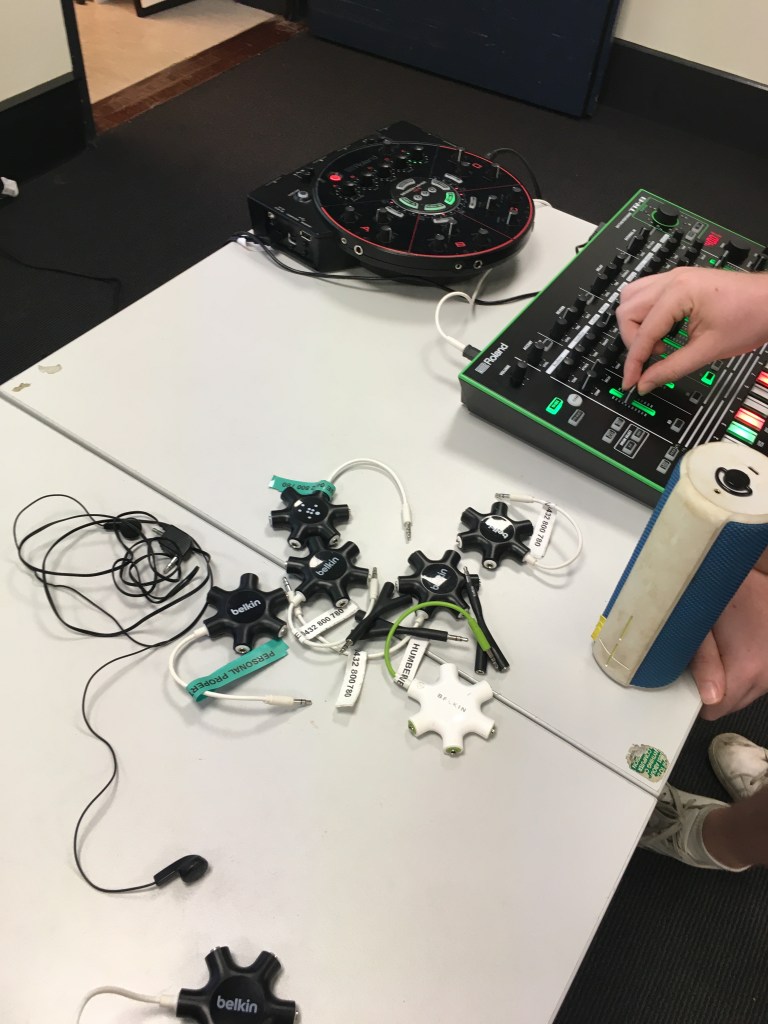
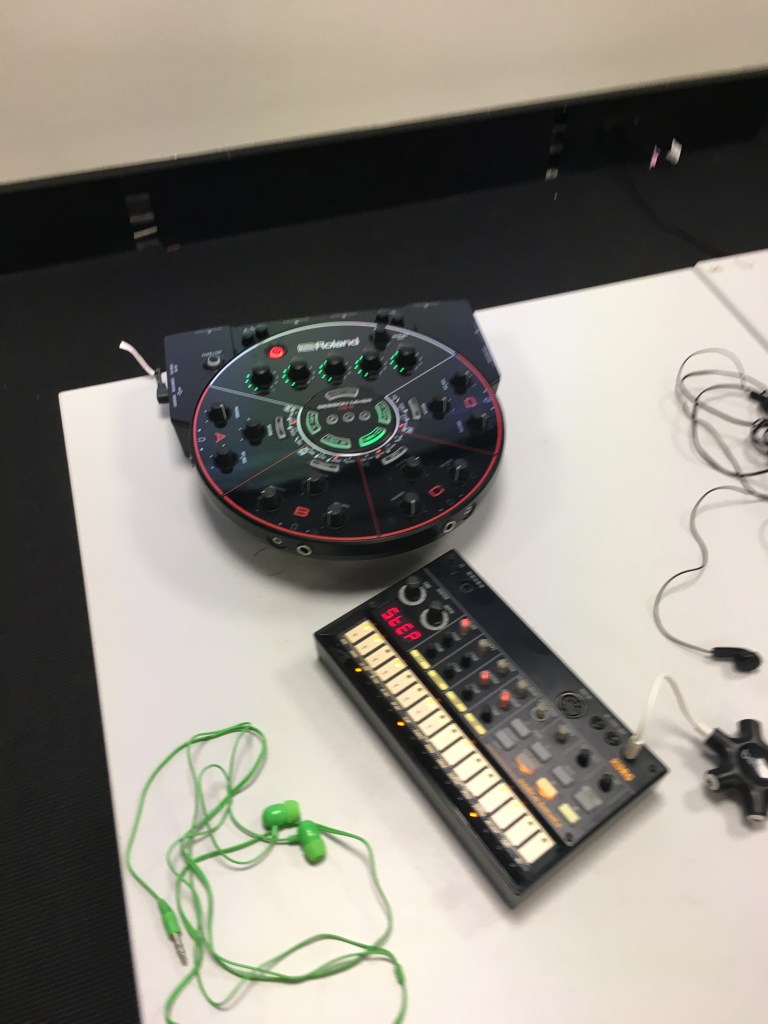
This week was super fun (like, honestly). It was a combination of technology and collaboration. On Monday, we experimented with a series of hi-tech stuff and I was really amazed by the Ableton Push althogh it’ll take me a while to actually learn to use it. I think having these equipment around would make a music lesson even more engaging because it’s not just making them sit in front of the screens.
Wednesday
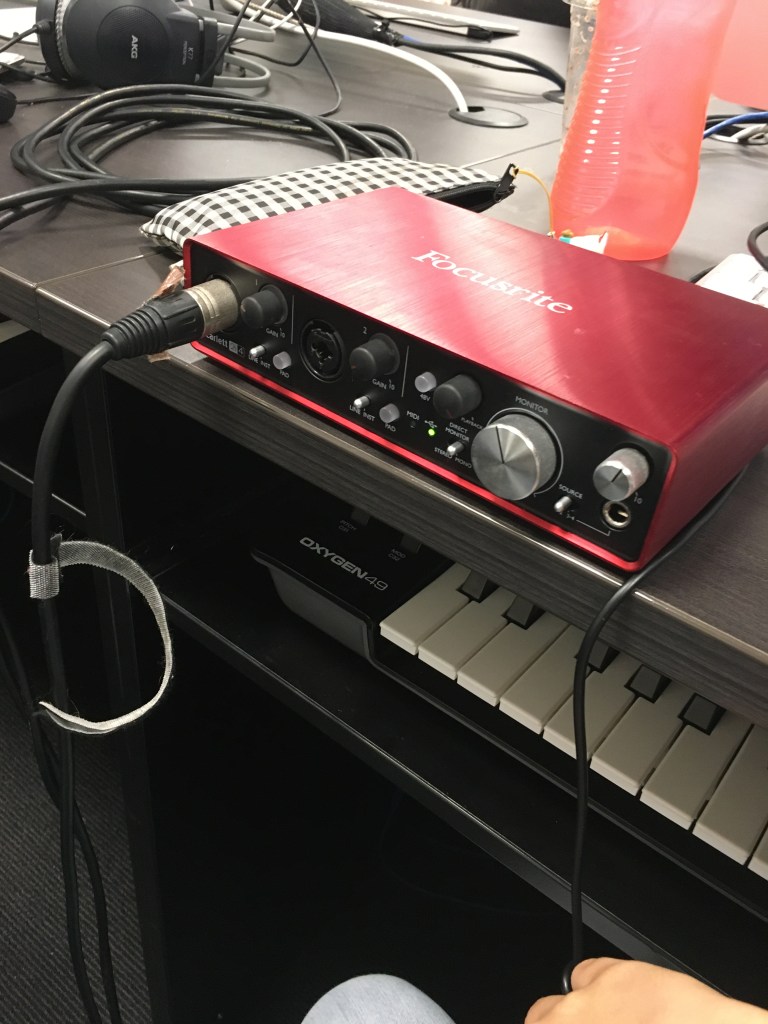
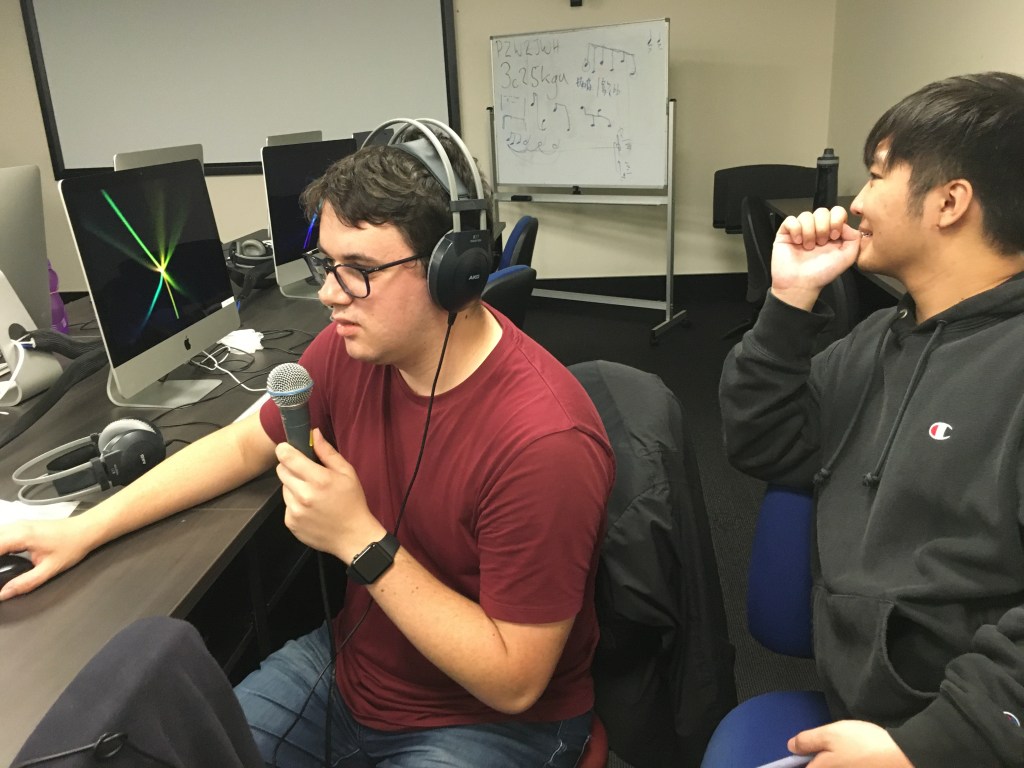
Wednesday’s technology class took place in one of the computer labs and I personally think it was very hands-on, very helpful, for teaching and personal music. We had a look at different types of microphones-Dynamic, like the Shure sm58. I personlly would only use it for live performance or rough demos but I’ve seen people use it to record (like my old band but we’re not gonna talk about that…) So basically you have to connect the mic to the midi audio interface with a male to female XLR cable, then plug it into the computer and you’re good to go.
We made a track using the Shure and interface setup and we decided not to never publish it on the internet ever
Second one was the condenser mic like the Rode NT2-A they have at the con studios. It’s good for catching treble voices and delicate vocal details such as whispers. It’s very suitable for pop recording if you want relatively clearer and modern vocals.
We were told that it’d be a good idea to purchase condenser pencil mics . They’re designed to be directional and perfect for acoustic live performance recording e.g. school choir, orchestra etc. Rodes and AKG would be good 🙂
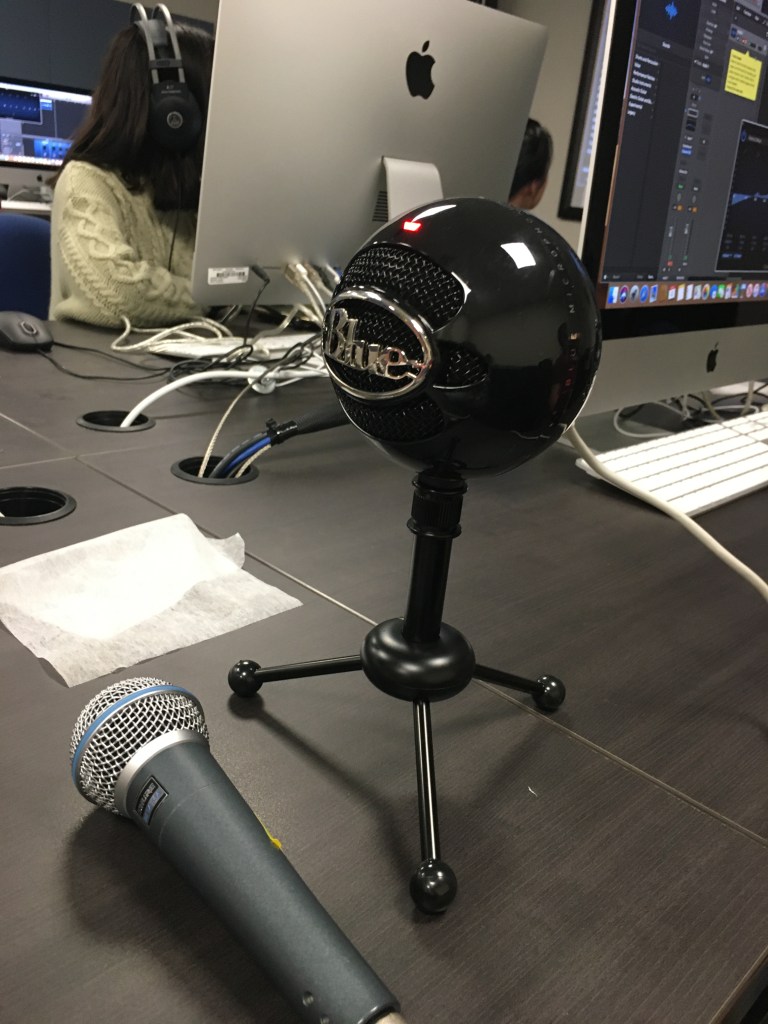
Towards the end of the class we tried the Blue Microphones Snowball iCE USB Microphone and it was for podcasts I believe(?)
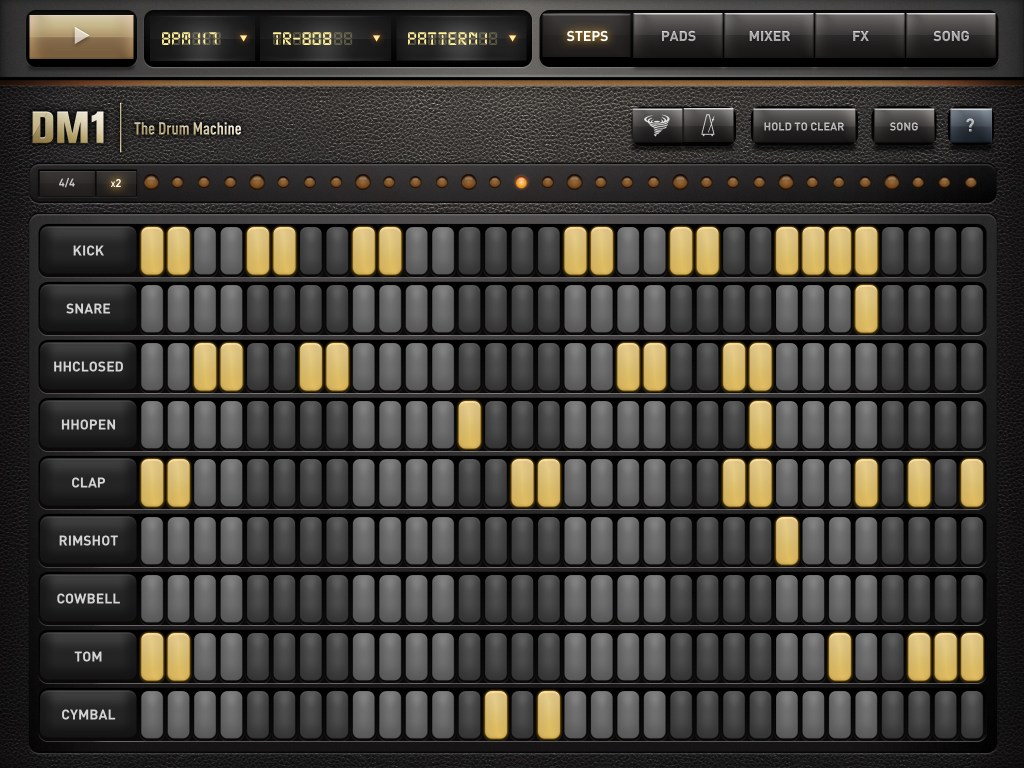
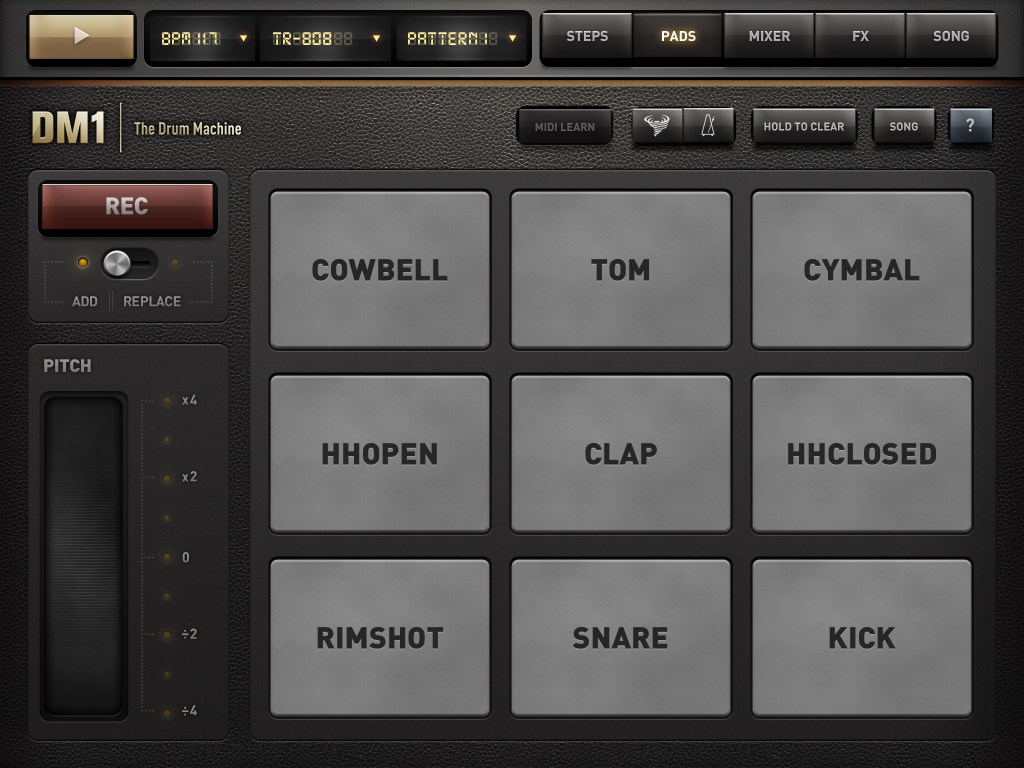
Week 1 was super fun. We met James at the con and he’s cool and likes to run and stuff. On Monday we experimented with the DM1 Drum Machine and I had no idea it could be used for classroom teaching. I always thought I was supposed to follow the syllabus and teach church music, conduct a choir and things because that basically sums up my high school music classes. I think teens will really enjoy a class like that and I’m going to experiment on my teen brother ahaha
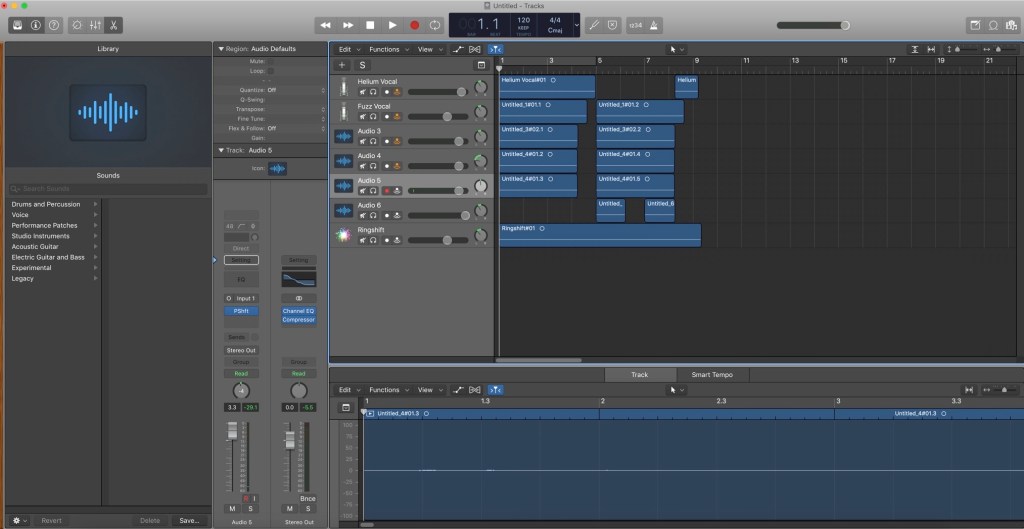
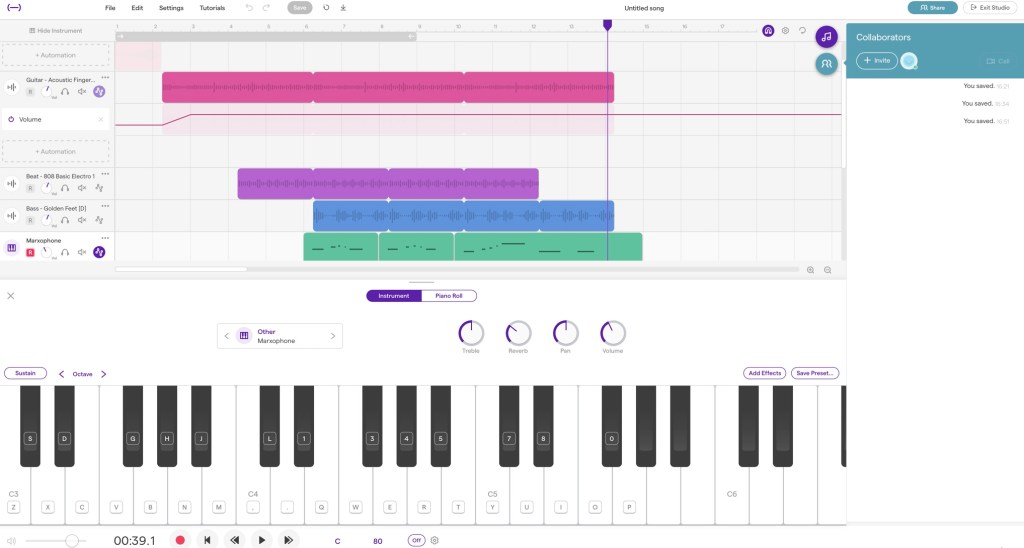
On Wednesday we played with Soundtrap. It’s basically like LogicPro but cloud-based. The loops were quite good and I think it’d be a nice place to start off if the school doesn’t have a paid programme like Logic or Ableton. Ableton and Logic have cloud functionality on splice allowing users to seamlessly share projects without any of the lag, making Soundtrap an inferior choice unless school funding is insufficient .It’d be suitable for Year 8 or above. It’s very interesting because that’s quite simialr to the Ontario Music Syllabus. So here’s the track I came up with today-


 Kidz! Music!